Skip to content
Royalty Managers logo RoyaltyManagers
New · For Palworld · Windows

Host your Palworld server
without coding.

Royalty Manager Palworld handles everything that normally requires touching config files: one-click install, visual settings with explanations, automatic backups, Discord notifications, built-in RCON console. You play — we handle the rest.

Free forever for 1 server 3-day trial of all features No credit card
A look inside

See the app before you download.

Real screens from Royalty Manager Palworld — swipe through.

Get started

Free forever. Or unlock everything for 3 days.

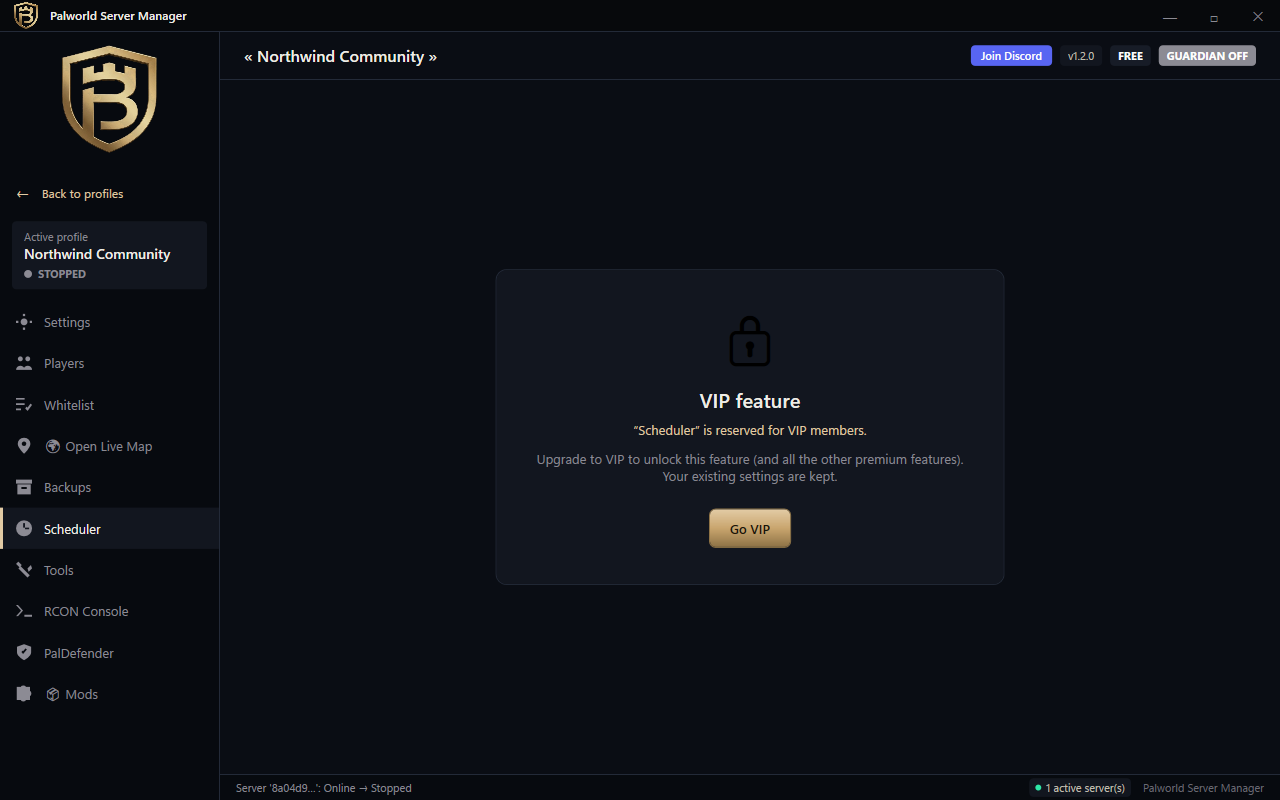
Download the app and run a Palworld server for free, for as long as you want. Upgrade only if you need multi-profile, Discord routing, scheduler or RCON console.

Free

No card needed

Use the app forever, at no cost.

$0 / forever

Basic mode. Upgrade anytime.

Download for free

No account · No payment

  • Start / stop / restart your server
  • One-click SteamCMD install
  • Basic settings editor
  • Manual backups
  • No multi-profile (1 server)
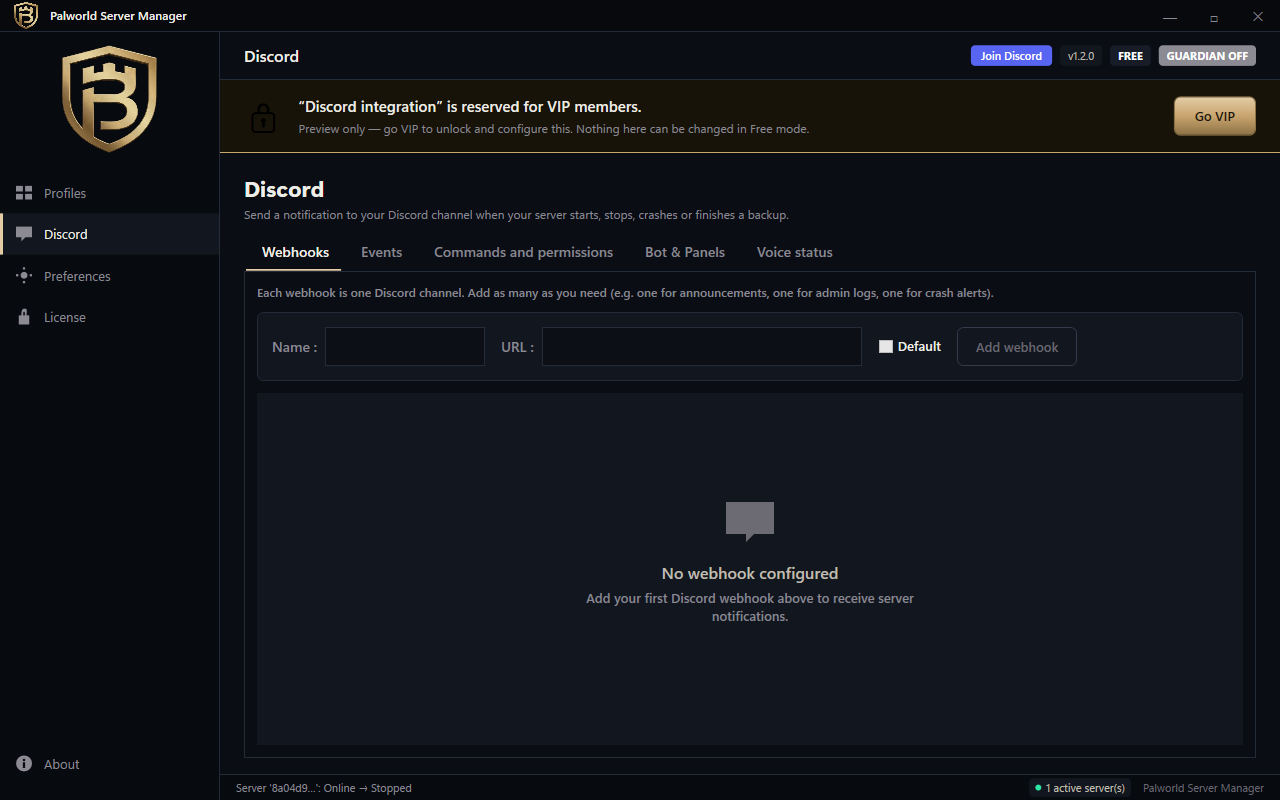
  • No Discord routing
  • No scheduler / RCON console

Try the full app free for 3 days — no card — then keep what you need in Free mode.

★ Best value — save 25%

Yearly

Pay once, use all year.

$99 / year

that's $8.25/month

Start 3-day free trial

No credit card required · Cancel anytime

  • Everything in Free, plus:
  • Unlimited server profiles
  • Discord routing & bots
  • Scheduler & RCON console
  • Event modes & rollback
  • Priority email support
  • 2 months free vs monthly

Monthly

Flexible. Cancel anytime.

$11 / month

Bill monthly, no commitment.

Start 3-day free trial

No credit card required · Cancel anytime

  • Everything in Free, plus:
  • Unlimited server profiles
  • Discord routing & bots
  • Scheduler & RCON console
  • Event modes & rollback
  • Email support

🔒 Secure payment by Lemon Squeezy — Card / PayPal / Apple Pay / Google Pay · Worldwide VAT handled automatically.

Direct Windows installer

Version 1.0.0 · 64-bit · Windows 10 / 11 · Changelog · All releases

Windows SmartScreen will warn on first launch — here's why

On first launch, Windows may show "Unknown publisher" because the app is not yet signed with a paid certificate. Click "More info" → "Run anyway". It's safe; we'll sign the app as soon as revenue allows it.

Why bother with the command line?

Same outcome. Less pain.

Without Royalty Manager
  • Download SteamCMD and learn its CLI syntax
  • Edit 3 cryptic .ini files by hand
  • Configure Windows Firewall and forward ports manually
  • Launch a black console window and pray
  • Re-do everything on every Palworld update
  • No automatic backup when the server crashes
With Royalty Manager
  • Click "Install" — the app does everything
  • All settings in a clean UI with helpful tooltips
  • Auto-detect network, built-in port hints
  • Graphical interface — see exactly what's running
  • Game updates in 1 click, or fully automatic
  • Scheduled automatic backups, minute-by-minute

Everything a pro admin uses,

Made simple. No hidden settings, no terminal.

One-click install

Royalty downloads SteamCMD, installs Palworld dedicated server, configures everything. A few clicks, a few minutes, you're online.

🎮

Every setting

100 % of PalWorldSettings.ini in a clean UI. XP rate, capture rate, PvP mode, day/night — each with a plain-English tooltip.

💾

Auto backups

Hourly, daily, custom. One-click restore.

🔔

Discord routing

Multi-webhooks, per-event, per-server. Bot commands gated by role.

💻

RCON console + Teleport

Buttons or free-form RCON. Teleport-to-player. Confirmation on destructive ops.

🎉

Event modes

Halloween XP×2 timed events with auto-revert. Build your own presets.

🗺️

Live player map

See your players in real time.

🛡️

Crash guardian

Server crashes? Royalty restarts it without you lifting a finger.

Frequently asked questions

Is the app really free?
Yes — download and use it free, forever, for one Palworld server. The paid plans unlock advanced features (multi-profile, Discord routing, scheduler, RCON console, event modes). You get all of them free for 3 days when you start the trial, then keep using the Free mode if you don't subscribe.
Do I need to be a developer?
No. Royalty Manager Palworld is designed for players who have never opened a command line. If you can use a web browser, you can use this app.
What OS does it run on?
Windows 10 and Windows 11, 64-bit. The official Palworld dedicated server only runs on Windows and Linux — we focus on Windows for V1.
Which language is the app?
Full English and French. More languages will be added based on demand (German, Spanish, Japanese are next).
Can I import my existing server?
Yes. Royalty auto-detects existing Palworld installations on your disk and lets you take over without touching your saves.
How many servers can I run?
Unlimited on the paid plans (Monthly / Yearly). 1 server on the Free plan. The app manages multiple profiles in parallel — each with its own config, backups, Discord routing.
Is hosting included?
No. Royalty runs on your own PC (or a Windows VPS you rent). It's an admin tool, not a cloud hosting service. You keep 100 % control of your data and pay $11/month flat instead of $15-30/month at a typical hosted game server provider.
Is my data sent to the cloud?
No. Everything stays local on your PC. The only outbound network call is to validate your license with Lemon Squeezy. No telemetry, no tracking.
What happens if I cancel?
Your license stays active until the end of the paid period. After that, the app switches to Free mode — start/stop your server, basic settings — but advanced features get disabled. Your data is never deleted.
Will you support other games?
Yes. Conan Exiles and Soul Mask are next in line. Each game gets its own dedicated app, sold separately. Want a specific game? Email us.

Your Palworld server, 15 minutes from now.

Free forever, no credit card. If you don't love it, you uninstall and we never see each other again.